A stack of unsigned forms, a missing invoice, and an inbox full of scanned attachments. This is a familiar scene for anyone still working through paper day to day, whether you’re finishing a thesis, closing out a client invoice, or filing a weekly report. Searching for paperless office solutions usually starts with a frustration exactly like this: too much time lost, too much risk, and too little organization. Despite years of digital tools sitting ready to use, only about 18% of companies today run truly paperless operations, which means most students, professionals, and freelancers are still stuck juggling printers, scanners, and filing cabinets.
Paperless office solutions are the digital tools and habits that replace paper-based processes with electronic ones, covering everything from a simple online PDF converter to a full document management system. This article walks through why paper-heavy workflows cost more than they appear to, the real payoff of switching to digital, the features worth checking for in software, and how free browser-based tools like iLovePDFKit make it simple to start today without spending money or installing anything. Read on to see exactly what going paperless looks like in practice.
Key Takeaways
- Paper-based work quietly drains money, time, and document security, often without anyone noticing until the costs pile up.
- Going paperless brings back lost productivity while closing common security gaps tied to lost or misdirected paperwork.
- Strong paperless office software combines document management, security controls, automation, and OCR in one place.
- Free, browser-based tools such as iLovePDFKit let individuals go paperless with no installation and no cost.
- A short, four-step plan is enough to start your own paperless transition this week.
Table of Contents
- What Is A Paperless Office, And Why Does It Matter?
- What Are The Hidden Costs And Risks Of Paper-Based Work?
- What Are The Core Benefits Of Switching To Paperless Solutions?
- Which Features Should You Look For In Paperless Office Software?
- How Can iLovePDFKit Help You Go Paperless Today?
- How Do You Start Your Own Paperless Transition?
- The Takeaway
- Frequently Asked Questions
What Is A Paperless Office, And Why Does It Matter?
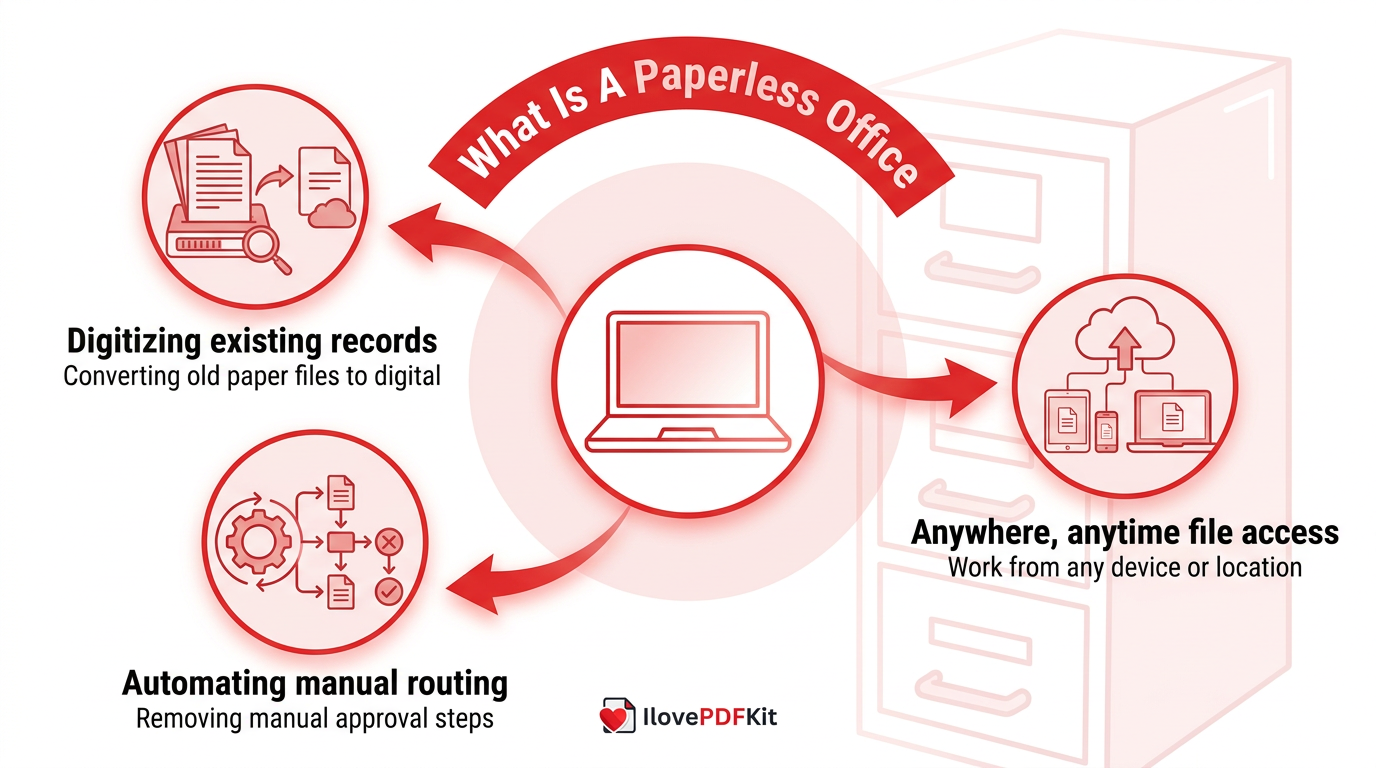
A paperless office is a workplace that has deliberately cut its reliance on physical paper in favor of digital documents and workflows, a concept often explained through what is a paperless office guides that break down the benefits and starting steps. It matters because paper-based work is slower, less secure, and harder to scale than digital alternatives, especially for students, freelancers, and small teams juggling multiple file formats every day. Going paperless doesn’t mean paper disappears completely; it means paper-dependent steps get replaced with faster digital ones. Three shifts make this possible: digitizing existing records, automating manual routing steps, and enabling anywhere, anytime access to files.
This shift matters most for people who rely on several document formats, since a system built around PDFs, Word files, and spreadsheets removes friction between school, office, and client work. Instead of printing an assignment to sign it or mailing a scanned invoice, files move electronically from creation to approval to storage. For students juggling research papers and admin staff managing reports alike, digital-first document handling saves real time and cuts the odds of losing a file entirely.
What Are The Hidden Costs And Risks Of Paper-Based Work?
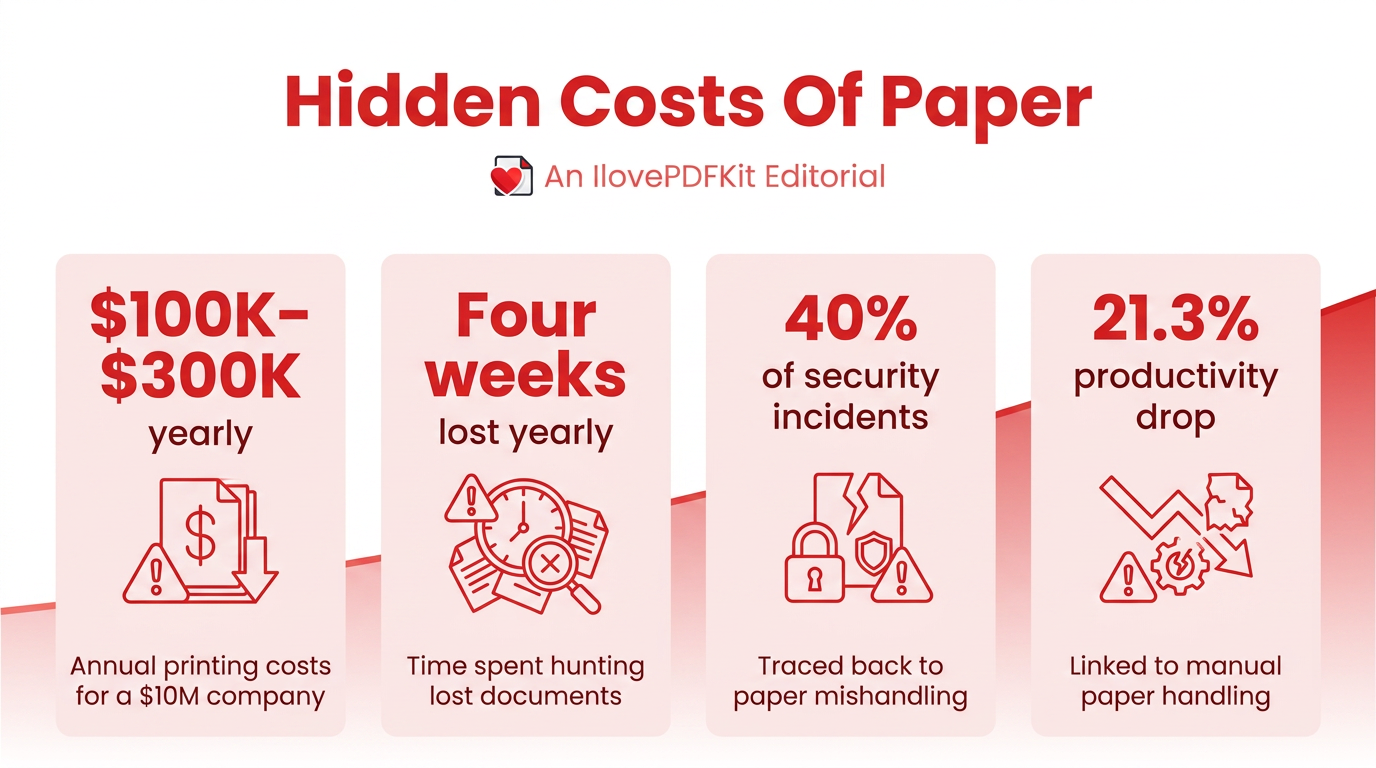
Paper-based work carries costs far beyond the price of paper itself, and most of them stay hidden until they pile up. Gartner estimates a company earning $10 million a year can spend $100,000 to $300,000 annually on printing alone, before counting filing, shipping, and storage, costs detailed further in a complete guide to going paperless for businesses weighing the switch. Knowledge workers reportedly lose close to four weeks each year hunting for misfiled or lost documents, and that lost time turns into real payroll expense over the course of a year.
Security risks add another layer of danger to the mix:
- The UK’s Information Commissioner’s Office has found that roughly 40% of data security incidents trace back to paper, from lost files to misdirected mail, a trend consistent with the steady printing industry decline now displacing legacy paper processes across sectors.
- Research from IDC links paper handling to a 21.3% drop in productivity, since staff spend hours capturing, storing, and re-routing documents that could move electronically instead.
What Are The Core Benefits Of Switching To Paperless Solutions?
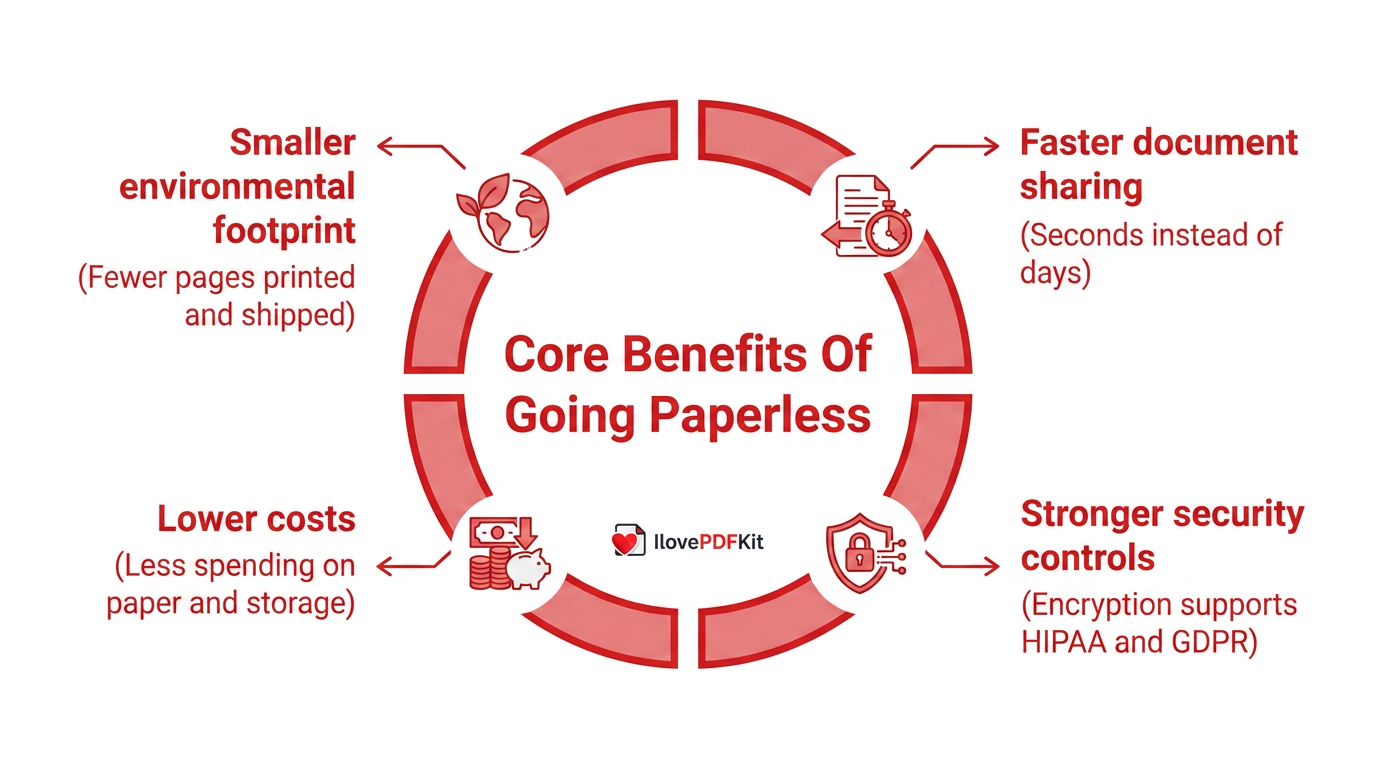
Switching to paperless solutions pays off in time saved and stronger protection for sensitive files. When documents live in one digital system, employees and students stop wasting hours hunting through folders and can share files across a team in seconds instead of days. This directly shortens processes like invoicing, onboarding, and assignment submission, since approvals no longer wait on a printed copy changing hands.
Digital workflows also close major security gaps, since files can be encrypted and locked down so only approved people can open them, which helps with compliance rules like HIPAA and GDPR, part of why a recent survey found companies accelerating intelligent document processing adoption to cut both risk and manual handling time. Beyond security, going paperless frees up the physical space filing cabinets once occupied and cuts spending on paper, toner, and storage. As a bonus, printing fewer pages also lowers the environmental footprint tied to paper production and transport.
Which Features Should You Look For In Paperless Office Software?
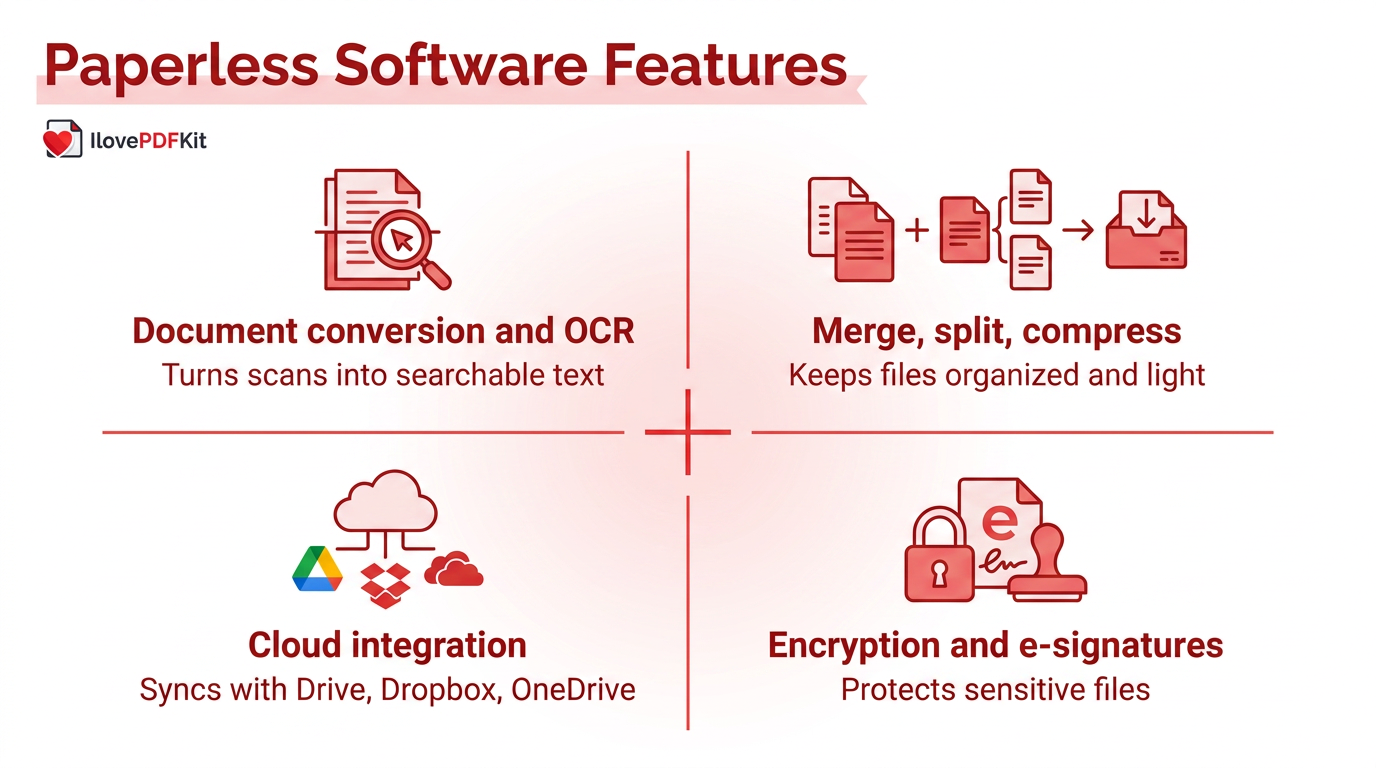
The right paperless office software should make documents easier to find, share, and protect than a filing cabinet ever could. Look for strong document management with version control and fast search, since these let you locate one file among thousands in seconds. Security matters just as much, so check for encryption and permission controls that limit who can open sensitive files, along with support for legally recognized electronic signatures.
“Security is a process, not a product.” — Bruce Schneier, security technologist
Individuals rarely need the depth of tooling a large enterprise requires; students, freelancers, and office staff usually just need a handful of core capabilities working well together.
- Document conversion and OCR turn scanned pages into searchable, editable text instead of a flat image nobody can search through or copy from, an approach reflected in NLP-based document workflow automation research showing measurable efficiency gains in organizations handling large volumes of files.
- Merging, splitting, and compressing keep multi-page reports, research papers, and contracts organized and light enough to send by email without bouncing back.
- Cloud integration with services like Google Drive, Dropbox, or OneDrive keeps files backed up and reachable from any device you happen to be using.
How Can iLovePDFKit Help You Go Paperless Today?
iLovePDFKit gives students, professionals, and freelancers a direct, no-cost way to put paperless office solutions into practice without downloading a single program. The browser-based platform covers PDF to Word, Excel, and PowerPoint conversion in both directions, plus JPG and PNG support, so a scanned handout or a photographed invoice becomes an editable file in seconds. Beyond conversion, it lets you merge several PDFs into one packet, split a long report into sections, compress oversized files before emailing them, and run OCR on scanned pages so the text inside becomes searchable and editable. Every file moves through an SSL-encrypted connection and gets deleted from the servers shortly after conversion, and there is no registration, no watermark, and no daily cap standing between a document and getting the job done.
Real Ways Students, Professionals, And Freelancers Use It
Students often combine lecture photos, scanned handouts, and typed notes into one study guide before an exam, or convert a finished paper to PDF for a submission portal that rejects Word files. Office staff working on locked-down computers use the same tools to turn photographed invoices and scanned signature pages into clean reports without waiting on IT to approve new software. Freelancers lean on the no-storage policy to convert bank statements into Excel sheets and handle client contracts without worrying about where those files end up afterward.
How Do You Start Your Own Paperless Transition?
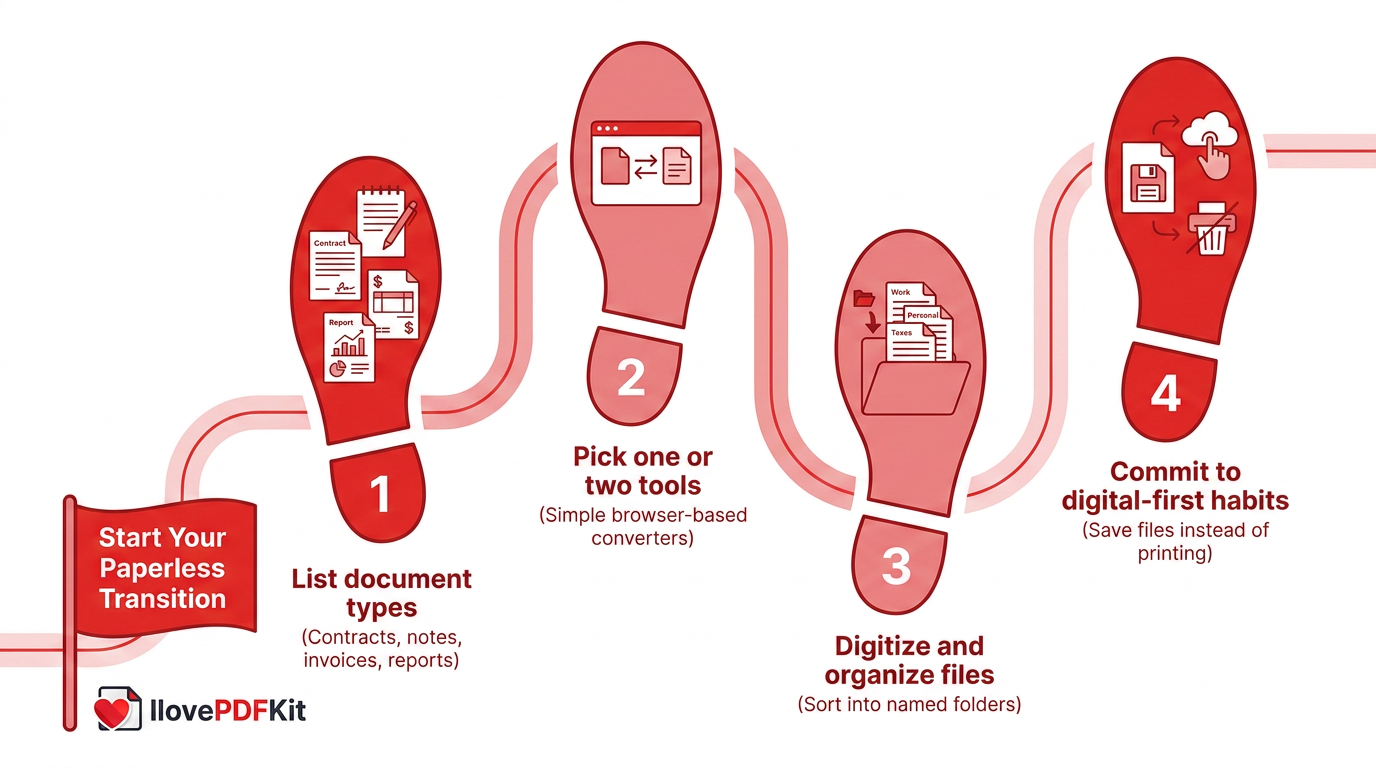
Starting your own paperless transition doesn’t call for a big budget or an IT department, just a clear plan and a couple of reliable tools. Begin by taking stock of what you actually handle each week, whether that’s assignments, invoices, or team reports, so you know which formats need converting most.
- List the document types you deal with regularly, from contracts to lecture notes, so nothing gets missed.
- Pick one or two simple tools, such as a browser-based converter, for the formats you use most.
- Digitize your existing files, then sort them into clearly named folders you can search later.
- Commit to a digital-first habit, saving new documents as PDFs or editable files instead of printing them.
Set a timeline that fits your workload. Individuals can often finish converting their most-used files within a couple of weeks, while a small team may need a month or two to fully settle into digital-first habits.
The Takeaway
Paper-based work costs more than it looks like on the surface, draining budgets through printing and storage while opening the door to lost or misdirected files. Paperless office solutions flip that equation, giving students, office staff, and freelancers back their time while making documents easier to protect, search, and share from anywhere.
You don’t need a big rollout to feel that difference. Start small: pick one document sitting on your desk right now, whether it’s a scanned form or a Word file that needs to become a PDF, and convert it using a free, no-installation tool like iLovePDFKit to see how much friction disappears.
Frequently Asked Questions
Is Going Paperless Expensive To Set Up?
Not for individuals or small businesses. Free, browser-based tools handle most everyday conversion and organizing tasks at no cost, so students, freelancers, and small teams can start immediately. Larger enterprise document systems do carry a price tag, but everyday users rarely need that level of complexity to see real benefits.
Is It Safe To Convert Sensitive Documents Like Contracts Online?
Yes, as long as the tool uses SSL encryption and doesn’t store your files long term. Trustworthy platforms process documents over an encrypted connection and automatically delete both the original and converted files shortly after the task finishes, which keeps contracts, invoices, and personal records out of long-term storage entirely.
Do I Need To Install Software To Go Paperless?
No, browser-based tools handle conversion, merging, and compressing directly in a web browser. This works well on locked-down school or office computers where installing new programs isn’t allowed, and it removes any concern about compatibility between Windows, macOS, or mobile devices.
How Long Does It Take To Transition To A Paperless Workflow?
Individuals can start converting and organizing files within minutes using free online tools. Small teams typically need a few weeks to a few months, depending on how many existing paper records need digitizing and how many people need to adjust their daily habits.
Can Scanned Or Image-Based Documents Be Made Searchable?
Yes, through Optical Character Recognition, or OCR, technology that reads text within a scanned image and turns it into editable, searchable content. This means a scanned contract or lecture handout stops being a flat picture and becomes a document you can search, copy from, and edit like any other file.
What’s The Difference Between Paperless Software For Individuals Versus Businesses?
Individuals mainly need fast, free conversion and organizing tools for everyday tasks like assignments or invoices. Businesses often need more, including workflow automation, integrations with CRM or ERP systems, and audit trails for compliance, since they’re managing document flow across entire departments rather than single files.
