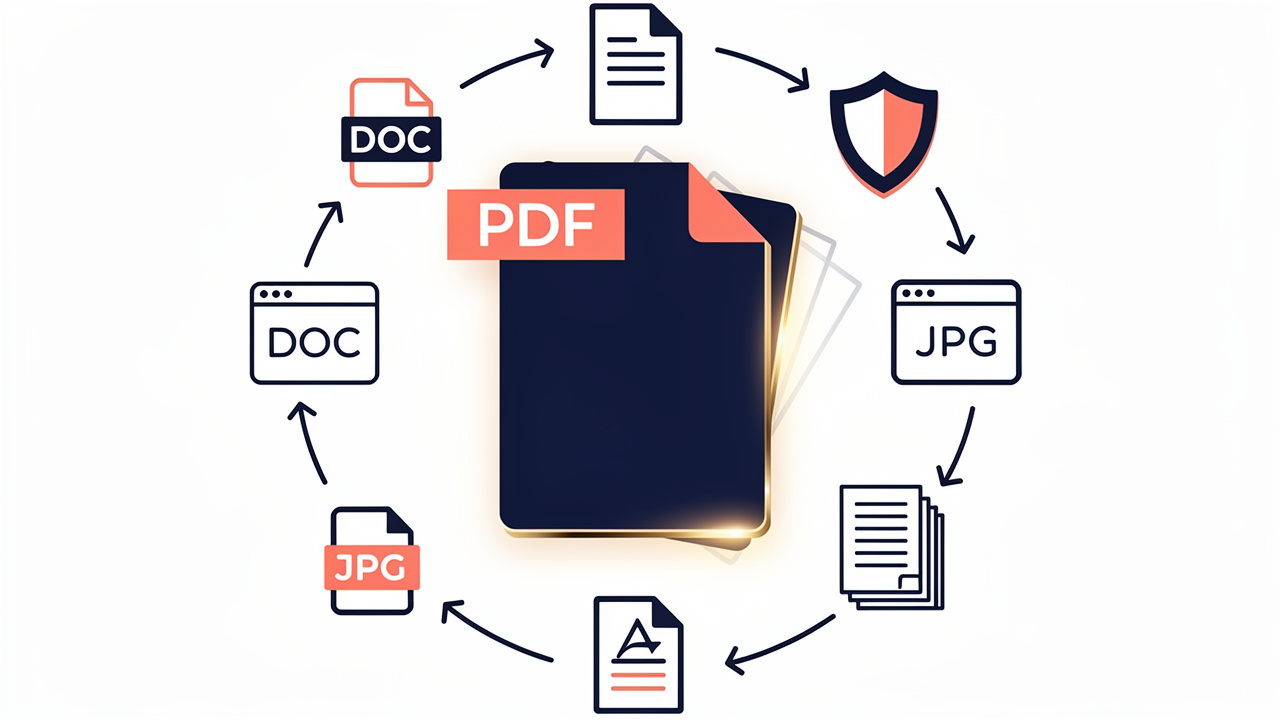
Introduction
Picture this. A professor just emailed an updated rubric, a client sent a contract in PDF, or the office wants a report combined and signed before the end of the day. The tool everyone mentions is Adobe Acrobat Pro, then the subscription price pops up on the screen. That pause, right before clicking buy, is when many people start searching for the Best Free Alternatives to Adobe Acrobat.
Adobe still sets the standard for PDF features, and years of habits keep it at the top of most lists. Yet the reality in 2026 is simple. A lot of students, office staff, and small business owners only need to convert, rearrange, or lightly edit files. Paying every month for features they barely touch makes less and less sense when a strong Adobe Acrobat replacement free option is only a tab away.
Cost is not the only reason people look for a free alternative to Acrobat Pro. Common motivations include:
Wanting a lighter tool that feels less crowded and easier to learn
Concerns about data privacy, AI training on documents, or long subscriptions
Preferring quick, browser‑based tasks over installing heavy software
The good news is that 2026 brings a wide range of Best Free Alternatives to Adobe Acrobat, from quick browser tools to open source apps that never touch the cloud. Along the way, you will see how iLovePDFKit fits as a fast, no‑account starting point for everyday conversions.
Read on to learn what to look for in a free PDF editor, how the top tools compare, and how to pick the option that matches the way you work.
“The best tool is the one that actually gets used.” — common productivity advice
Key Takeaways
Adobe Acrobat Pro can cost more than many people need to pay. Several free alternatives to Adobe Acrobat handle viewing, conversion, and common edits without a subscription. Many users never hit the limits of these free tools in daily work.
The strongest options avoid watermarks, logins, and surprise paywalls. Browser tools such as iLovePDFKit focus on fast conversion, and open source programs like LibreOffice or Stirling‑PDF fit privacy‑first workflows. Freemium tools add heavier editing through short trials.
Security still matters when the price is zero. Good free PDF editors use encrypted connections, clear delete policies, and safe desktop installs. Choosing tools with a no‑file‑storage promise keeps even sensitive homework, reports, and contracts safer.
What To Look For In A Free Adobe Acrobat Alternative
Before picking from the Best Free Alternatives to Adobe Acrobat, it helps to know what really matters. Not every reader needs advanced redaction or form design, but almost everyone needs clean conversions and simple, honest pricing.
When comparing options, focus on these core areas:
File Conversion Quality
A good free PDF editor no watermark option should move smoothly between PDF and Word, Excel, PowerPoint, JPG, or PNG without breaking layouts. If tables shift, fonts change, or images wander across the page, the time saved on conversion disappears as soon as manual fixes start.Editing And Creation Tools
For many people, basic tools are enough: adding or changing text, dropping in a logo, or inserting pages from another file. Power users might also care about OCR (optical character recognition). This turns scans into searchable text so that printed readings, contracts, or receipts stop living as static images and start acting like normal documents.Security And Privacy
Security deserves real attention, especially with browser tools. Look for encrypted transfers and a clear promise that files leave the server soon after processing. Password protection, digital signatures, and redaction options matter when handling anything client‑related or personal.Ease Of Use
A clean interface helps someone who only edits PDFs once a week just as much as it helps a busy manager. Browser tools feel light because they skip installs, while desktop apps win when offline access matters. The best Adobe Acrobat alternative free tools avoid forced account creation and long setup steps.
Free models also differ. Some tools are fully free, while others hide important actions behind paywalls. This quick table helps sort them out.
| Model Type | How It Works | Good Match |
|---|---|---|
| Fully free | No time limits and no paywall features | Students and individuals on tight budgets |
| Freemium | Core features free, heavy editing in paid tier or trial | Offices that sometimes need advanced tasks |
| Open source | Community built, free download with optional support | Privacy‑focused and tech‑comfortable users |
A simple rule of thumb is to test with a real file. If a tool adds watermarks, changes layouts, or demands a sign‑up too fast, move on to another free Adobe Acrobat equivalent instead of fighting with it.
The Best Free Alternatives To Adobe Acrobat In 2026
With those basics in mind, it is time to look at the Best Free Alternatives to Adobe Acrobat available right now. This mix covers quick browser tools, full office suites, and focused open source apps — drawing on the same hands-on methodology used when I tested the 6 best AI tools for research — so that you can match the tool to your habits instead of bending your habits around the tool.
1. iLovePDFKit — Best Free Browser-Based PDF Conversion Suite
iLovePDFKit sits at the top of this list because it fits how most people actually work with PDFs. It runs in any modern browser and needs no install, no account, and no learning curve. That makes it a strong free alternative to Acrobat Pro for anyone who mostly converts files.
The core toolkit covers PDF to Word, Word to PDF, PDF to Excel, PDF to PowerPoint, and the reverse for each format. It also handles Image to PDF and PDF to Image for quick batches of receipts, notes, or slides. Conversions keep fonts, tables, and layouts steady, so a report does not look “off” when it turns into a PDF, and a client contract stays ready to sign after export.
Speed and privacy stand out. Files move through encrypted connections and leave the server after processing, which helps people who feel nervous about online converters. There are no watermarks and no hidden fees, so iLovePDFKit works well as a free PDF editor pick for students, office staff, and freelancers. For many readers, opening ilovepdfkit.com, dropping in a file, and downloading the result is all they need from the Best Free Alternatives to Adobe Acrobat.
2. LibreOffice — Best Open-Source Desktop Editor
LibreOffice offers a full office suite that costs nothing and runs on Windows, macOS, and Linux. It serves as a strong open source alternative to Adobe Acrobat for anyone who prefers offline work and more direct control. Its Writer and Draw apps open PDFs and turn them into editable documents.
Inside LibreOffice, you can change text, move or replace images, insert or delete pages, and add links before exporting back to PDF. It feels more like a classic word processor than a light online converter, which makes it a good pick for long research papers, manuals, and text‑heavy reports.
There is a bit of a learning curve, especially if someone is new to office suites. Still, once set up, LibreOffice gives a dependable Adobe Acrobat equivalent free of charge, with no trials or feature locks.
3. WPS Office — Best Freemium Suite With A Free Tier
WPS Office blends a word processor, spreadsheet tool, presentation app, and PDF features in one interface. The free tier lets you view PDFs, add highlights, and leave comments. For many readers, that already covers daily review tasks.
For deeper editing, WPS follows a simple path. You can convert a PDF to Word, make your changes, then export back to PDF. A short, credit‑card‑free trial adds direct text editing and more powerful conversion tools. The tabbed layout keeps Word files, spreadsheets, and PDFs in a single window, which helps office workers move between reports and slides faster.
WPS Office also includes a small amount of cloud storage for sharing files. It works as a flexible free PDF reader and editor, with a paid layer ready for periods when your team needs heavier work without a long Adobe subscription.
4. Stirling-PDF — Best Open-Source All-In-One Toolkit
Stirling‑PDF takes a different road from most Best Free Alternatives to Adobe Acrobat. It is a self‑hosted, web‑style app that runs on your own server or machine. Once set up, it offers more than sixty PDF tools in one place.
Those tools cover conversion, OCR, watermarking, redaction, page rearranging, image extraction, and more. In other words, Stirling‑PDF can replace much of what a paid editor does, while staying an Acrobat alternative open source fans can trust. Because files never leave your hardware, privacy stays under your control.
Setup takes more effort, so this option fits best for developers, IT‑minded users, or small offices with someone comfortable running open source services. For that crowd, it acts as a deep Adobe Acrobat substitute free of subscription strings.
5. PDFsam Basic — Best Free Tool For Splitting And Merging
PDFsam Basic focuses on one slice of PDF work and does it well. It is a desktop app that helps people split, merge, and rotate pages. If someone lives inside multi‑chapter reports or long e‑books, this kind of free PDF editing software can save a lot of time.
You can combine several PDFs into one, break a large file into smaller parts, or pull out a set of pages for a student handout or client summary. It does not edit text or images, so it pairs well with another free Adobe Pro alternative that handles content changes.
Because PDFsam Basic is open source, there is no trial clock and no watermark risk. A separate paid version adds features, but many readers never need to move beyond the free build for everyday structural edits.
Online vs. Desktop PDF Editors Which Is Right For You?

When picking from the Best Free Alternatives to Adobe Acrobat, one big choice is where the tool runs. Some options live in the browser, while others live on your computer. Each path helps a different type of user.
This quick table summarizes the trade‑offs.
| Factor | Online Or Browser Based | Desktop Software |
|---|---|---|
| Installation needed | No | Yes |
| Works with no internet | No | Yes |
| File location | On provider servers for a short time | On your device |
| Best use | Quick, simple tasks from any device | Frequent, heavier editing and private work |
| Example tools | iLovePDFKit, Stirling‑PDF web view | LibreOffice, WPS Office, PDFsam Basic |
Online tools shine when speed and access matter most. If you sit at a campus computer, a borrowed laptop, or a locked‑down office machine, you might not even have rights to install apps. A browser‑based free Adobe Pro alternative, especially one that skips sign‑ups, lets you convert and download files in minutes. iLovePDFKit fits this case very well thanks to its no‑account design and clear no‑file‑storage policy.
Desktop tools win when documents should never leave your machine or when you handle long files every day. An Acrobat alternative Mac free install such as LibreOffice gives full editing and conversion even on a plane, in a library basement, or during a spotty home connection. Heavy OCR tasks and complex form work also tend to run smoother on local apps.
Before you decide, ask yourself:
How often do you edit or convert PDFs each week?
Do any of your files contain sensitive client, student, or financial data?
Do you work mostly from one computer, or switch devices all the time?
No matter which side you choose, read the privacy notes. For online tools, look for language about encrypted connections and automatic file deletion. That is one reason many people treat iLovePDFKit as a safe free alternative to Adobe PDF rather than just a fast one.
Conclusion

The Best Free Alternatives to Adobe Acrobat in 2026 cover almost every common task, from simple conversions to deep edits and page surgery. For many readers, there is no longer a strong reason to keep paying a monthly fee just to turn Word, Excel, or PowerPoint files into clean PDFs.
Browser tools such as iLovePDFKit help students, freelancers, and busy staff move between formats in a few clicks with no sign‑up. Open source editors like LibreOffice or Stirling‑PDF suit people who want more control, while freemium suites such as WPS Office help teams that sometimes need heavier editing. The smart move is to start with the simplest tool that meets real needs and skip subscriptions until there is a clear reason to upgrade.
For fast, accurate conversion that respects privacy and budget, opening iLovePDFKit in a browser is an easy first step.
FAQs
Is There A Completely Free Alternative To Adobe Acrobat With No Watermark?
Yes, there are several options that stay free and do not stamp your pages. iLovePDFKit is one strong pick for anyone who needs a browser‑based Adobe Acrobat replacement free of watermarks, accounts, or time limits. LibreOffice works as a fully open source desktop option with the same clean output. Freemium editors may mark pages or hide key tools on their free tiers, so always test with a sample file first.
What Is The Best Free PDF Editor For Mac In 2026?
Mac users can mix online and desktop tools to replace Acrobat. A browser option such as iLovePDFKit works on any Mac with a current browser and gives quick conversion without a download. For a full offline free PDF editor no watermark, LibreOffice stands out as a powerful choice. WPS Office also offers a Mac version, which can act as a best non Adobe PDF editor when someone wants an office suite and light PDF work in one place.
Are Free Online PDF Editors Safe To Use?
Free online tools can be safe when they treat data with care. Look for signs such as HTTPS in the address bar, clear notes about encrypted transfers, and a promise to delete files soon after processing. A strong free alternative to Acrobat Pro should not keep your documents longer than needed or force you to create an account. iLovePDFKit follows this approach by using secure connections and removing both original and converted files after the task, which helps keep even sensitive documents safer.
