Table of Contents
- Introduction
- Why Convert PDF to Editable Word in the First Place?
- How to Convert PDF to Editable Word Using iLovePDFKit
- What Makes a Free PDF to Word Converter Actually Worth Using?
- Tips for Getting the Best Results When You Change PDF to Word
- Start Converting Your PDFs Don’t Have to Stay Locked
- Frequently Asked Questions
Introduction
Handling pdf to editable word tasks is simplest when you rely on a browser-based tool instead of desktop software. Among the many free converters out there, iLovePDFKit stands out ahead of Adobe Acrobat Online or Smallpdf thanks to unlimited conversions, no sign‑up, and built‑in OCR.
When you turn a fixed PDF into an editable Word document with a pdf to editable word service, you can update text, move images, and reuse tables without typing everything again. Students, office teams, and small businesses all save hours when they can change PDF to Word for free, right inside the browser.
This guide walks through why pdf to editable word conversion matters, exactly how to use iLovePDFKit, what to look for in free tools, and a set of simple quality tips.
Key Takeaways
Here are the main points in one quick scan.
PDF files lock layout. Editing feels slow and clumsy, while Word format lets you change pages much faster.
Digital PDFs hold real text; scanned PDFs are images. OCR turns those pictures into editable words you can search and copy.
A good free converter preserves fonts and tables, protects privacy, and does not limit normal everyday use.
iLovePDFKit runs in any modern browser. It stays free with no sign‑up, and converted files arrive clean, without any watermark.
Better input brings better results. Use clear scans and non‑protected files, and always check the Word file before sending or printing.
Why Convert PDF to Editable Word in the First Place?

Converting PDF files to editable Word documents removes the locked layout and gives you real control over text and design. Instead of retyping pages, you open the DOCX file in Microsoft Word or Google Docs and start editing right away. That simple change matters when syllabi, contracts, or client briefs arrive only as PDFs.
Students and researchers often need to quote, restructure, or annotate long articles that live in PDF form. Copy and paste from a viewer can:
break lines in the middle of sentences
strip footnotes or endnotes
scramble formulas, symbols, and tables
Once a journal article becomes an editable Word document, you can highlight text, track changes, and move sections into your draft while keeping formatting tidy.
Office staff often receive policy updates, HR forms, or vendor contracts as final PDFs with no access to the source file. When a date changes or a clause needs revision, converting that PDF to editable Word is far faster than rebuilding the document from scratch. Teams can then use tools inside Microsoft 365 or Google Workspace to review, comment, and approve changes in one shared file.
According to Adobe, more than forty‑one million files went through its PDF to Word converter in a recent period, which shows how common this task has become. With a reliable pdf to editable word converter like iLovePDFKit, that locked PDF you received by email becomes a normal DOCX file you can adjust on any device. You stay in familiar tools such as Microsoft Word, Google Docs, or LibreOffice instead of wrestling with print‑ready files.
How to Convert PDF to Editable Word Using iLovePDFKit
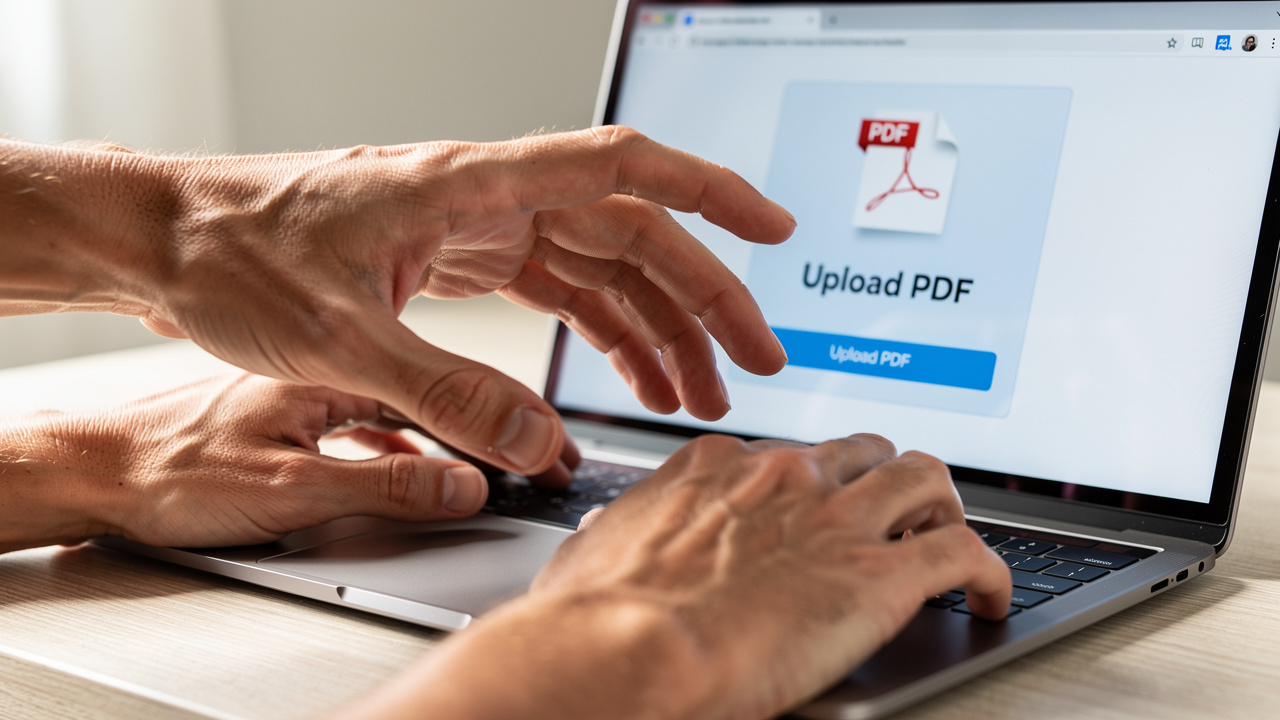
Using iLovePDFKit to convert a PDF into an editable Word file takes only three quick steps in any modern browser. The whole pdf to editable word process runs online with no software installs, no sign‑up, and no watermarks.
Here is the simple flow from upload to download.
Upload Your PDF File
Open iLovePDFKit in your browser. Click the upload area or drop the PDF from your desktop or cloud storage such as Google Drive, Dropbox, or OneDrive. The file travels over an encrypted HTTPS connection so contents stay private.Convert To Word
After upload, iLovePDFKit reads text, images, and tables automatically. You do not need to tweak lots of settings, because the pdf to editable word engine maps the structure straight into DOCX. For scanned files, the built‑in OCR layer recognizes characters so the result contains real, editable text instead of flat images.Download Your Editable Word Document
When processing finishes, you see a Download Word button. Click once and the.docxfile lands on your device, ready for Microsoft Word, Google Docs, or LibreOffice. You can also send the file straight to cloud storage if that fits your workflow better.
For most essays, reports, or invoices, conversion on iLovePDFKit finishes in seconds, even on a modest internet connection. Because files are removed from iLovePDFKit servers shortly after processing, you are not leaving long‑term copies of sensitive contracts, grades, or ID scans online.
Using iLovePDFKit for this type of work gives you:
No software installations on your computer or phone
No watermarks or registration barriers before you download
Built‑in OCR so one tool handles both digital and scanned PDFs
Converting Scanned PDFs Into Editable Word Documents With OCR
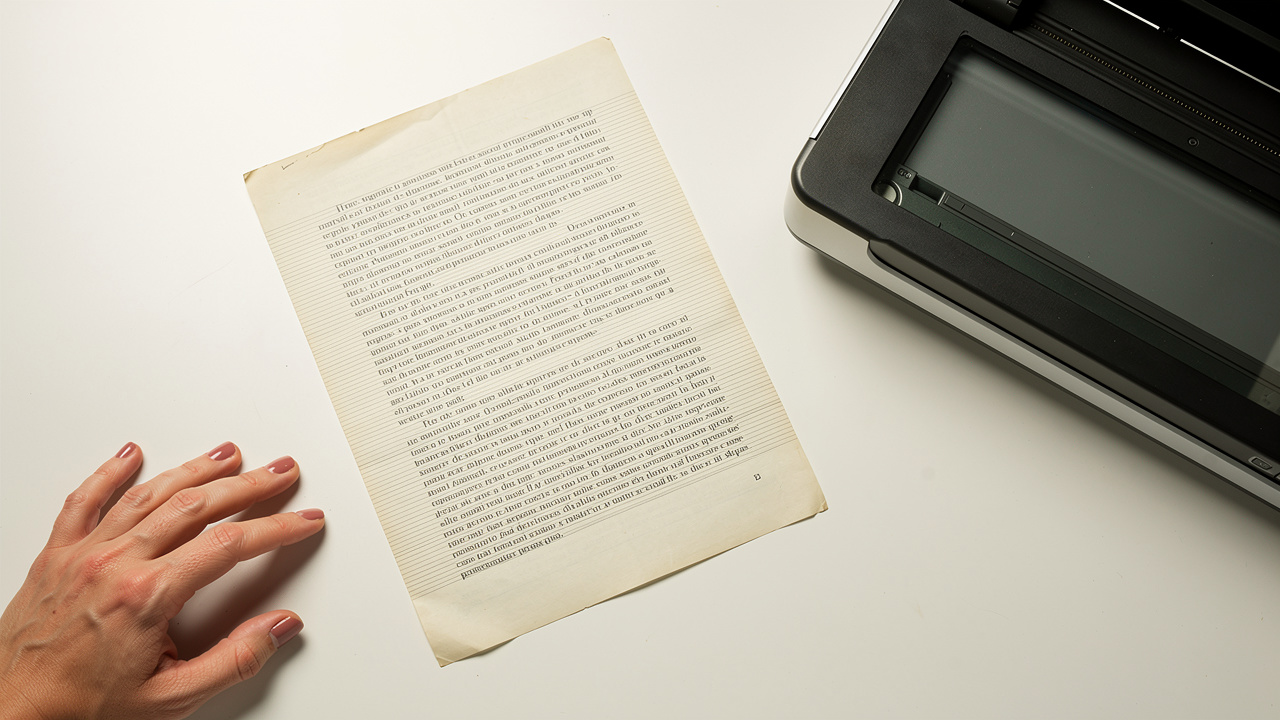
Converting scanned PDFs into editable Word documents depends on OCR, because those files contain images, not real text. A scanned syllabus, contract, or book page looks like normal text on screen, yet your cursor cannot select a single word.
OCR, or optical character recognition, analyzes each letter shape and rebuilds it as editable characters inside the DOCX file. iLovePDFKit includes this step inside the same free interface, so you do not switch tools or upgrade a plan just to handle scanned homework or signed forms. You upload the scanned PDF, click convert, and receive an editable Word document with real text you can search, copy, and edit.
For best accuracy with OCR:
use scans around 300 DPI with good contrast
avoid photos taken in dim rooms or at sharp angles
keep pages flat so text lines stay straight
always proofread numbers, names, and totals after conversion
This quick review step with a pdf to editable word tool matters most for grades, invoices, and legal text, where even a small typo can cause trouble.
What Makes a Free PDF to Word Converter Actually Worth Using?
A free PDF to Word converter is worth your time only if it keeps layout, protects privacy, and truly stays free. Students, office staff, and freelancers rely on these tools for contracts and grades, so weak output or hidden paywalls cause real problems. A few simple checks help you decide whether a pdf to editable word site deserves a place in your bookmarks.
“Good tools get out of your way. You upload the file, download the edit, and move on with your work.”
– Common advice from productivity coaches
When you compare different converters, focus on:
Formatting preservation. Cleaning broken tables and headings by hand often takes longer than typing from scratch. High‑quality engines, like those described in reviews from PCWorld, keep fonts, spacing, images, and bullet lists close to the original PDF. iLovePDFKit focuses on this point, so headings stay aligned, table borders remain sharp, and pictures land in the right place instead of drifting across pages.
Support for scanned files. Some free tiers convert only text‑based PDFs and move OCR behind a paid upgrade. iLovePDFKit includes OCR in the same free workflow, so you receive editable text whether the file started as a Word export or a phone scan.
Privacy and security. Look for clear practices such as TLS encryption and quick deletion, which services like Smallpdf highlight with ISO 27001 certification and one‑hour removal windows. iLovePDFKit likewise uses encrypted connections and short retention so casual conversions do not leave long‑term traces.
Some websites let you upload and convert, then hide the clean PDF to Word (DOCX) file behind a pay button or fill it with bold watermarks. With iLovePDFKit, every download stays watermark‑free, account‑free, and free of daily conversion caps, even if you convert a whole stack of essays or invoices. The quick comparison below shows how common free tools differ from iLovePDFKit on the points that matter most.
| Feature | Many Free Converters | iLovePDFKit |
|---|---|---|
| Layout Accuracy | Layout often breaks in complex files | Layout stays close to the original PDF |
| OCR For Scans | OCR only on paid plans in many cases | OCR included in the standard free workflow |
| Watermarks | Watermarks often added on free exports | No watermarks on any exported Word document |
| Registration | Account and email frequently required | No registration, no email, no profile required |
| Daily Limits | Low daily limits on free users | No routine limits for regular everyday conversion |
Tips for Getting the Best Results When You Change PDF to Word
Good habits before and after conversion make a big difference to how clean your new Word file looks. When you run a pdf to editable word job through iLovePDFKit, a few simple checks help the layout come through almost exactly as you expect. These tips come from patterns seen across thousands of users on the platform each day.
Before uploading, try to highlight a sentence in your PDF viewer. If you can select text, the document is a digital PDF and usually converts very cleanly. If nothing highlights, treat the file as scanned and expect OCR to do more work, especially around small fonts and handwriting.
Use the original PDF created from Word, PowerPoint, or Excel whenever you can instead of a photo of a printout. Re‑scanned or photographed pages often contain shadows, angles, or blur that confuse any converter. Straight, high‑contrast pages at around 300 DPI give OCR the best chance to read every character correctly.
If a PDF is password‑protected, create a non‑protected copy first so the converter can read all pages. Avoid uploading files that contain information you would never email, such as social security numbers or full medical records. Online tools like iLovePDFKit delete files after processing, yet careful document choices still matter.
After download, skim each section of the new Word file, paying extra attention to tables, formulas, and long lists. Fix small spacing issues first, then adjust fonts or headings if your original PDF used rare typefaces. Once the document feels right, you can send it, print it, or use iLovePDFKit again to change the edited Word file back into a clean PDF.
When you expect to reuse the same structure, save a clean, edited Word version as a template. Next time you receive a similar PDF, you can compare the new conversion to your template and copy across only the parts you need.
Start Converting Your PDFs Don’t Have to Stay Locked

Your PDFs do not need to stay frozen when a pdf to editable word converter like iLovePDFKit sits a single click away. You can move smoothly from locked handouts and contracts to editable DOCX files you control on any device.
The tool runs in the browser, asks for no registration, adds no watermark, and includes OCR for scanned books, receipts, or signed agreements — much like other capable tools that let you Convert PDF to Word without friction. Thanks to fast processing, you can convert a whole set of assignments, policies, or invoices in the time it once took to retype a single page.
Open iLovePDFKit in your browser, drop in your next PDF, and see how much easier it feels to edit the Word version instead of fighting with a fixed file.
Frequently Asked Questions
Question: Is it really free to convert a PDF to an editable Word document with iLovePDFKit?
Yes, running a pdf to editable word conversion with iLovePDFKit is completely free. The site never asks for payment details or upgrades, and every DOCX download arrives watermark‑free with no daily conversion caps.
Question: Does iLovePDFKit store my files after conversion?
No, iLovePDFKit does not keep your documents for long after conversion. Files upload over encrypted HTTPS, process for a short time, then are removed from the servers automatically, and no personal profile is stored.
Question: Can I convert a PDF to an editable Word document on my phone?
Yes, you can convert a PDF to an editable Word document on any phone with a modern browser. iLovePDFKit runs inside Chrome, Safari, or other mobile browsers, so no app install is required.
Question: What happens to formatting when I change a PDF to a Word document?
When you change a PDF to a Word document with iLovePDFKit, the layout stays close to the original. Fonts, tables, images, and spacing appear in the right places. Complex layouts or rare fonts may need a quick check and small adjustments.
Question: Can I convert the edited Word file back to PDF using iLovePDFKit?
Yes, iLovePDFKit also lets you convert an edited Word file back into a clean PDF. You upload the DOCX, click the Word to PDF tool, and receive a ready‑to‑share file without watermarks or layout changes.
