Introduction
The first time many people hear the phrase PDF/A is when a professor, boss, or court website suddenly says a file must be in that format. It is common to stop and wonder what is a PDF/A file and why a regular PDF is not enough. It can feel like one more technical rule on top of everything else.
PDF/A is not just another file type. It is a special version of PDF created so a document will look the same many years from now, no matter which computer, phone, or app opens it. The letter A stands for Archival, which hints at the main idea. The file carries everything it needs inside itself so nothing breaks later.
This guide walks through what a PDF/A file actually is, how it differs from a normal PDF, what the different PDF/A versions mean, where people use it, and how to create one. By the end, the phrase what is a pdf/a file should feel simple, and it will be clear how to meet any PDF/A requirement without stress.
Think of PDF/A as a “printout that lives inside your computer”—the pages should look the same every time you open them, even decades from now.
Key Takeaways
PDF/A is an ISO standard (ISO 19005) made for long‑term archiving, where the A stands for Archival and the goal is stable viewing far into the future. It is a stricter form of PDF that cares more about long life than fancy features. When someone asks what is a pdf/a file, the short answer is that it is a long‑lasting PDF.
A PDF/A file is fully self‑contained, which means it holds all fonts, colors, images, and needed data inside the file. It does not depend on system fonts or outside links that might disappear. This design gives much more confidence that the file will still look right decades from now.
PDF/A removes risky or fragile features such as JavaScript, encryption, some types of multimedia, and external content. Several versions exist, from PDF/A‑1 to PDF/A‑4, with different conformance levels for basic display, full accessibility, or strong text search. Governments, courts, universities, banks, and many companies now ask for PDF/A in their rules.
What Is a PDF/A File and Why Does It Matter?
When someone asks what is a pdf/a file, the most accurate answer is that it is an ISO standard profile of PDF created for long‑term archiving. The standard is called ISO 19005, and it spells out how a PDF must be built so it can be read far into the future. The idea is simple: a PDF/A file should open and look the same in ten, twenty, or fifty years.
The core rule behind PDF/A is self‑containment. A regular PDF can rely on fonts installed on a computer, link to images on a server, run scripts, or include interactive parts that depend on future software. A PDF/A file instead embeds fonts, color profiles, images, and key metadata right inside the document. That way the file does not need help from the outside to display correctly.
PDF/A trades some interactive features for predictability: what you see now is what you should see in the future.
PDF/A also bans a group of features that might age badly or block future access:
Encryption and external references
If a file is locked and the password or key is lost, people cannot read it later, so PDF/A does not allow that.
Linked images or fonts can vanish over time, which would break the layout, so those links are not allowed either for required content.
Dynamic or active content
JavaScript, automatic actions, or executable code might be blocked by future viewers for safety reasons, and that would change how the file behaves.
Audio and video content can depend on codecs that may not work later, so they are removed in PDF/A in favor of plain visual content.
Certain older or fragile technologies
Dynamic XFA forms and some compression methods can cause problems for long storage, either for legal reasons or because they rely on tools that may fade away.
PDF/A keeps form fields but asks for a stable visual appearance instead of dynamic layouts.
Along with those limits, PDF/A sets some positive rules:
A PDF/A file must embed every font it uses, and the font must allow this use under its license. This rule covers both normal text and special symbols, which is especially important for math, science, and multilingual work, since missing fonts can turn formulas into unreadable symbols.
Colors in a PDF/A file use device‑independent color spaces, along with profiles that describe how they should look. This helps printed reports and on‑screen views match more closely, even when hardware changes. It reduces the chance that a logo or highlight color will shift over time.
PDF/A also asks for standards‑based metadata and stable appearances for notes and form fields. This helps search tools and archive systems understand what the document is, while still keeping a clear visual layout that any viewer can draw without extra tricks.
A quick way to see the difference between a standard PDF and PDF/A is to compare key traits side by side.
| Feature | Standard PDF |
|---|---|
| Fonts | Can link to system fonts |
| Encryption | Optional |
| Multimedia and scripts | Allowed |
| External references | Allowed |
| Long‑term reliability | Varies by viewer and system |
| Feature | PDF/A File |
|---|---|
| Fonts | Always embedded |
| Encryption | Not allowed |
| Multimedia and scripts | Not allowed |
| External references | Not allowed for required content |
| Long‑term reliability | Designed for stable visual reproduction |
This is why PDF/A matters. A standard PDF might open in thirty years with broken fonts, missing images, or blocked scripts. A well‑made PDF/A file, by design, avoids those traps and keeps the document readable and complete.
PDF/A Versions and Conformance Levels Explained

Once the basics of what is a pdf/a file are clear, the next question is often about the different versions. PDF/A is not a single frozen format. It has grown in steps as the main PDF standard added new features. Each step keeps the same archiving goal but adds or adjusts options.
Here is a short summary of the main versions.
| Version | Year Published | Based On | Key Feature Added | Conformance Levels |
|---|---|---|---|---|
| PDF/A‑1 | 2005 | PDF 1.4 | First archival profile | PDF/A‑1a, PDF/A‑1b |
| PDF/A‑2 | 2011 | PDF 1.7 | Transparency, JPEG 2000, OpenType, signatures | PDF/A‑2a, PDF/A‑2b, PDF/A‑2u |
| PDF/A‑3 | 2012 | PDF 1.7 | Embedding of any file type | Same as PDF/A‑2 |
| PDF/A‑4 | 2020 | PDF 2.0 | Updated model and special engineering level | Base profile, PDF/A‑4f, PDF/A‑4e |
PDF/A‑1 is the original standard. It is based on PDF 1.4 and focuses on stable visual appearance. The PDF/A‑1b level is about basic viewing, so it checks that everything needed to draw the page is present. The PDF/A‑1a level adds structure tags, language settings, and Unicode mapping, which helps screen readers and other assistive tools. At this stage features like transparency and layers were not allowed, which kept things simpler for viewers of that time.
PDF/A‑2 arrived as PDF itself gained more power. This version added support for JPEG 2000 compression, transparency effects, optional layers, OpenType fonts, and stronger digital signatures that follow PAdES rules. It also allowed a PDF/A file to carry other PDF/A documents inside it, which helps bundle sets of related records together. The new PDF/A‑2u level joined the earlier A and B levels. It keeps the focus on visual output while asking that all text map to Unicode so search and copy work reliably.
PDF/A‑3 kept almost all of PDF/A‑2 but opened the door to embedding many other types of files. A PDF/A‑3 document might include an XML data file, a spreadsheet with raw numbers, or a word processor source file. This option helps keep final versions and source data together. Archivists sometimes worry that these attached files might be stored in formats that will not age well, so archives often write their own rules about which attachments are allowed.
PDF/A‑4 is based on PDF 2.0 and reflects modern usage. The base profile keeps the archiving focus, while PDF/A‑4f keeps the ability to embed other files. The PDF/A‑4e profile is aimed at engineering content, such as 3D models and rich media inside technical documents, and it replaces the older PDF/E standard for that niche. For most day‑to‑day needs, people only need to know that PDF/A‑4 is the current family and that older versions are still valid.
To keep the conformance levels straight, it helps to remember:
“a” (accessible) – visual appearance plus tagged structure for better accessibility.
“b” (basic) – visual appearance only; focuses on how the page looks.
“u” (Unicode) – visual appearance plus reliable text extraction via Unicode.
For students, office staff, and small business owners, the most common requirements are still PDF/A‑1b or PDF/A‑2b. These levels give stable viewing without extra accessibility demands. When in doubt about what is a pdf/a file that fits a rule, it is best to read the instructions from the school, court, or company and match the exact version they name.
Who Uses PDF/A and What Are Its Advantages?

Knowing what is a pdf/a file becomes much more helpful when it connects to real life. Many types of organizations already rely on PDF/A every day, even if individual users only notice the requirement line on a form.
Government agencies and legal systems depend on PDF/A for laws, rulings, and case files. These records must remain readable and unchanged for many years, since people may cite them far into the future. PDF/A helps courts and offices avoid broken links, missing exhibits, or strange fonts when files move between systems.
Libraries, archives, and research funders use PDF/A to protect digital collections. When a grant rule or repository page says a file must be PDF/A, that is about long life and access. Institutions that care about access for people with disabilities also like the tagged and structured versions of PDF/A, which work better with screen readers.
Universities and research centers often ask for theses, dissertations, and final reports in PDF/A format. These works may contain formulas, non‑Latin scripts, or special charts that depend heavily on fonts and layout. With PDF/A, the graduate who moves on can trust that their hard work will still display correctly in the campus library.
Banks, insurers, and many businesses use PDF/A for contracts, policy documents, and statements that must stay on file. These files may need to be checked during audits, disputes, or renewals years later. A clear, stable copy avoids confusion and helps show that nothing has changed since signing.
PDF/A also brings a set of clear advantages that matter to everyday users:
Long‑term preservation is the core benefit. A PDF/A file is built so its look does not depend on outside fonts or servers. That means a student can send a thesis to a national archive or a company can store a contract and have much more peace of mind about how it will appear in the future.
Visual integrity across devices is another strong point. Since the file holds everything needed to draw each page, a PDF/A document should look the same on a phone, office PC, or future tablet. That consistency saves time, because there is less worry about layout shifts or missing characters when someone opens the file in another place.
Support for many languages and accessible text is also important. When PDF/A uses Unicode mapping and, in higher levels, structure tags, it becomes easier to search, copy, or read with assistive tools. This helps organizations meet legal access rules and helps readers who rely on screen readers or who work with complex scripts.
If a document might matter to someone ten years from now, PDF/A is a strong candidate for how it should be stored.
For students and professionals, these benefits turn PDF/A from a dry standard into a quiet helper. Once it is clear what is a pdf/a file used for, it starts to feel like a smart default for any document that matters long term.
How to Create a PDF/A File
Reading rules about what is a pdf/a file is one thing. Creating one for a thesis, report, or contract is another. The good news is that many common tools already know how to save to PDF/A once the right options are chosen.
A practical workflow looks like this:
Step 1: Create a clean PDF from your source file.
A browser‑based tool such as iLovePDFKit can convert Word, Excel, PowerPoint, and image files into standard PDFs while keeping fonts and layout as close as possible to the original. Starting from a clean PDF reduces problems later when you apply PDF/A rules.Step 2: Convert that PDF to PDF/A with a desktop app.
Open the PDF in software that supports PDF/A export and select the right profile (for example, PDF/A‑1b or PDF/A‑2b) before saving.
If you are working directly from Microsoft Word, you can also use its built‑in export:
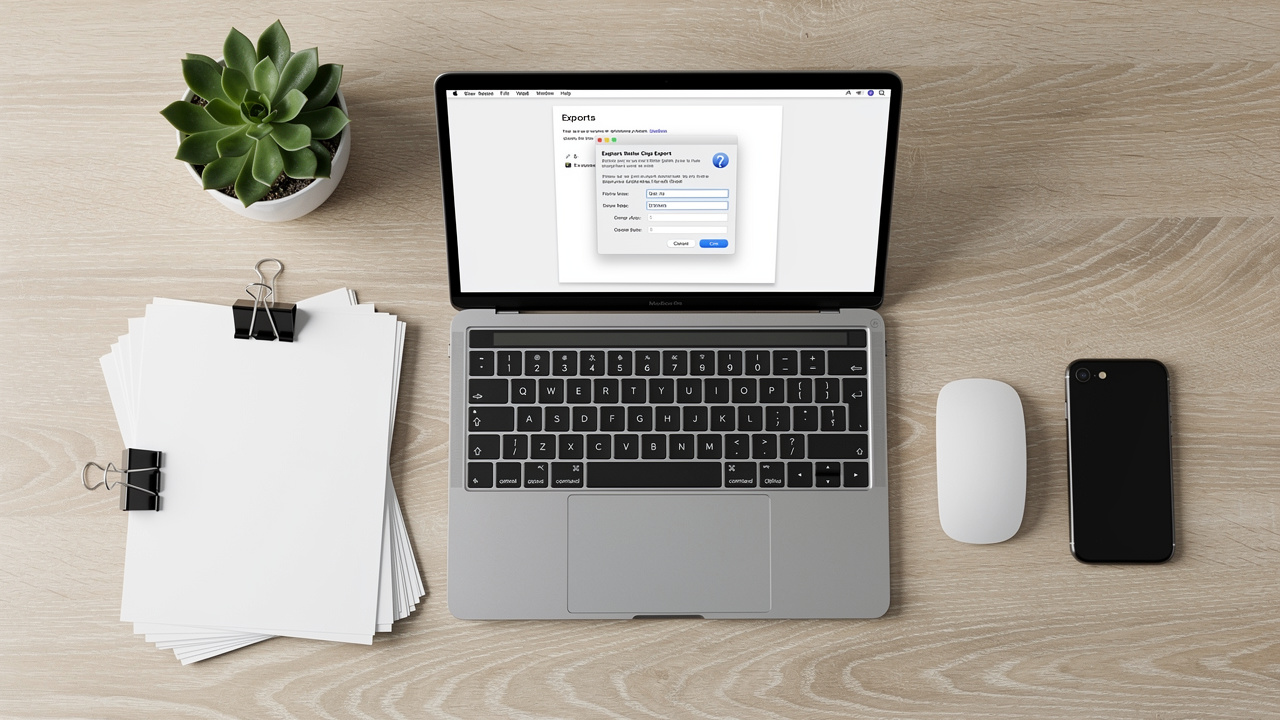
Open the finished document, then go to the File menu and choose Save As. Pick a folder and give the file a clear name that helps you find it later. This first step makes sure the export goes to the right place.
In the Save as type list, select the PDF choice so Word knows to create a PDF file. At this stage the file is set to be a regular PDF, so one more step is needed to meet the archival rules. Many people stop here, which is why some PDFs do not pass PDF/A checks.
Click the Options button in the save window, then look for the setting that mentions PDF/A. Check that box so Word writes the extra data and follows the rules for long‑term viewing. Save the file and wait for Word to finish the export.
Adobe Acrobat Professional can also convert an existing PDF into PDF/A. You open the file, use the File → Save As Other choice, and select the archivable PDF option that matches the target level. The Preflight tool inside Acrobat can scan the file, try to fix common issues, and report whether the result follows the right profile.
Other apps, such as LibreOffice, OpenOffice, and some virtual PDF printers, have similar export options. No matter which tool you use, it is very important to perform a slow visual check of the converted file:
Scroll through each page.
Look for missing characters or strange symbols.
Confirm that images, tables, and charts look correct.
Check that page numbers, headings, and hyperlinks (if present) behave as expected.
Automatic conversion can miss characters, swap fonts, or add small graphic errors, and a few minutes of review can catch these before a professor, client, or court does.
For people who first need a clean, well‑formed PDF before handling PDF/A settings, iLovePDFKit is a helpful first step in the workflow described above. It lets you work from a browser and convert common office formats into high‑quality PDFs, which you can then pass to a desktop tool to create the final PDF/A version.
Conclusion
PDF/A exists to answer a simple question: what is a pdf/a file that can still be trusted many years from now? It is a strict form of PDF that trades fancy features for stable viewing, by embedding everything it needs and avoiding parts that might fail later.
Most people only need a basic level such as PDF/A‑1b or PDF/A‑2b, along with a quick visual check after conversion. Once that habit is in place, archiving becomes much less stressful.
Whenever a high‑value document starts as Word, Excel, PowerPoint, or an image, iLovePDFKit offers a fast way to create a clean PDF with accurate formatting as the first step in a solid PDF/A workflow.
Save once, read forever—that is the promise a well‑prepared PDF/A file tries to keep.
FAQs
Is PDF/A The Same As A Regular PDF?
No, they are not the same even though both use the PDF extension. A regular PDF can use encryption, JavaScript, multimedia, and external links without any extra rules. A PDF/A file must follow an ISO standard for archiving, so it bans or limits those features to keep the document stable.
Can I Open A PDF/A File Without Special Software?
Yes, most modern PDF viewers can open a PDF/A file without any problem. Free tools such as Adobe Acrobat Reader often display a message that the file is in PDF/A mode, but they still open it like a normal document. Special software is mainly needed when you create or validate PDF/A files, not when you simply read them.
Why Is My PDF/A File Larger Than A Regular PDF?
A PDF/A file often ends up bigger because it embeds every font it uses instead of pointing to fonts on the computer. That extra data takes space but protects against missing characters or layout changes later. Many people see this size increase as a fair trade for a document that will still look correct many years from now.
Which PDF/A Version Should I Use?
For most students, researchers, and office workers, a basic level such as PDF/A‑1b or PDF/A‑2b is enough. These profiles focus on clear visual output and match what many institutions ask for in their rules. When there is any doubt about what is a pdf/a file that meets a rule, check the instructions from the receiving organization and choose the exact version they name.
