Losing track of an important file costs more than time. It can mean a missed deadline, a client complaint, or worse, a data breach nobody saw coming. Document management for small business owners often means scattered files spread across email inboxes, laptops, and random cloud folders, with no clear system tying any of it together.
That kind of setup creates real trouble. Duplicate file versions confuse teams, approvals stall in someone’s inbox, and sensitive client records sit unprotected on a shared drive anyone can open. Document management for small business, put simply, is the practice of storing, organizing, and controlling documents through their entire life, from the moment you create a file to the day you delete it.
This guide breaks down what a document management system actually does, the features worth paying attention to, and which tools fit different budgets and team sizes. You will also see how a free, browser-based tool like iLovePDFKit covers everyday conversion and organizing tasks long before you need a paid platform. By the end, you will have a clear, practical path toward getting your files under control. Let’s start with what document management covers and why it matters so much for smaller teams.
Key Takeaways
- A document management system (DMS) centralizes, secures, and organizes your business files in one searchable place.
- Look for core features like fast search, strong security, version control, and workflow automation before choosing any tool.
- Free browser tools like iLovePDFKit handle everyday conversion, merging, and organizing tasks at zero cost.
- Paid platforms make sense once your business needs workflow automation, e-signatures, or team-wide approval chains.
- The right system depends on your business size, budget, and the software your team already uses.
Table of Contents
- What Is Document Management and Why Does It Matter for Small Business?
- What Features Should a Small Business Document Management System Have?
- Best Document Management Tools for Small Businesses
- How Do I Choose and Set Up a Document Management System?
- The Takeaway
- Frequently Asked Questions
What Is Document Management and Why Does It Matter for Small Business?
Document management for small business means storing, organizing, and controlling every file your company creates or receives, from the first draft to final disposal. It covers the complete life of a document, including how it gets captured, where it lives, who can open it, and when it eventually gets archived or deleted. Rather than treating files as scattered afterthoughts, a proper system treats them as business assets worth protecting.
Small businesses feel these pain points more sharply than large corporations because they rarely have a dedicated IT department. Files end up scattered across personal laptops, shared email threads, and random cloud folders, with nobody quite sure which version is current. Add in the risk of a compliance audit or a client data request, and disorganized documents quickly become a liability rather than just an inconvenience.
What Features Should a Small Business Document Management System Have?
A strong document management system for small business needs does more than store files. It should help your team find, protect, and process documents without extra hassle. Workplace research often cited by consultants suggests employees lose close to two hours a day just searching for information, which is exactly what strong search and organization features are meant to fix.
Storage, Search, and Security
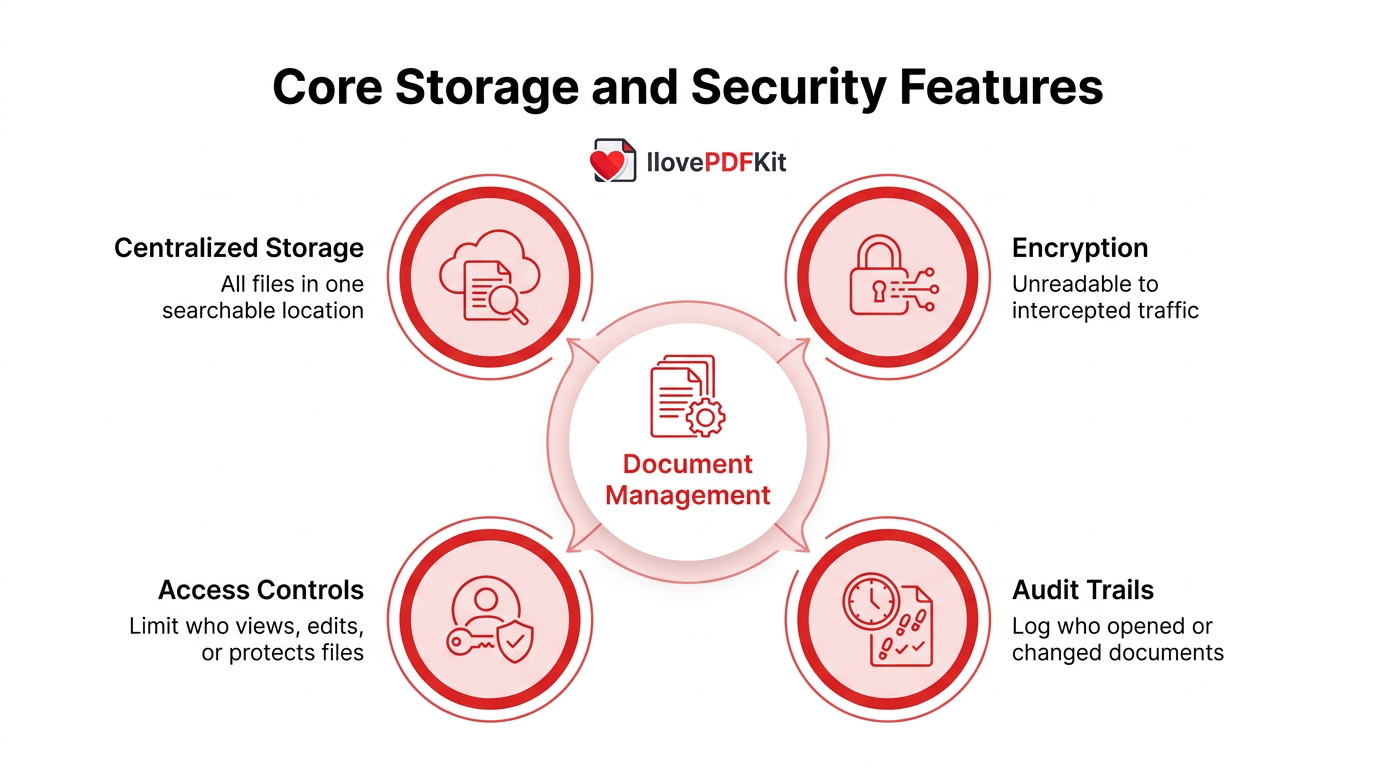
Centralized storage pulls files out of scattered folders and into one searchable location. Metadata tags, like client name or document type, help you find a file in seconds instead of digging through nested subfolders. Consistent naming conventions keep that structure organized as your team adds more documents over time.
Encryption keeps documents unreadable to anyone who intercepts them in transit. Access controls limit who can view, edit, or password protect free like contracts or payroll records. Audit trails log who opened or changed a document, adding accountability if a client ever asks what happened to their file.
Version Control and Workflow Automation
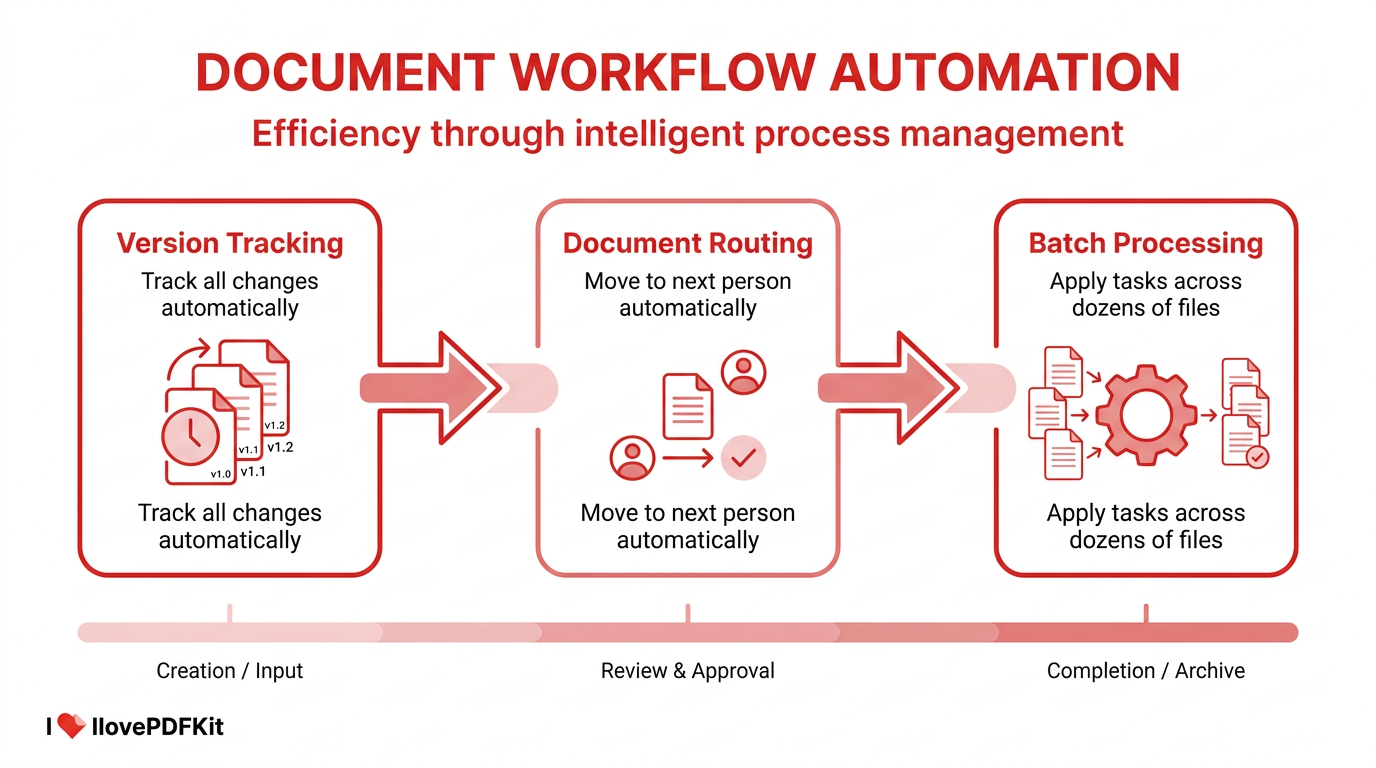
Version control keeps everyone working from one current document instead of five emailed copies. Every change gets tracked automatically, showing who edited what and when. You can roll back to an earlier draft instantly if something goes wrong or gets deleted by mistake.
Workflow automation routes documents where they need to go without manual chasing. An invoice can move straight to a manager for approval, with a notification sent the moment a signature is needed. Batch processing handles repetitive jobs too, applying one task, like page numbering, across dozens of files at once.
Best Document Management Tools for Small Businesses
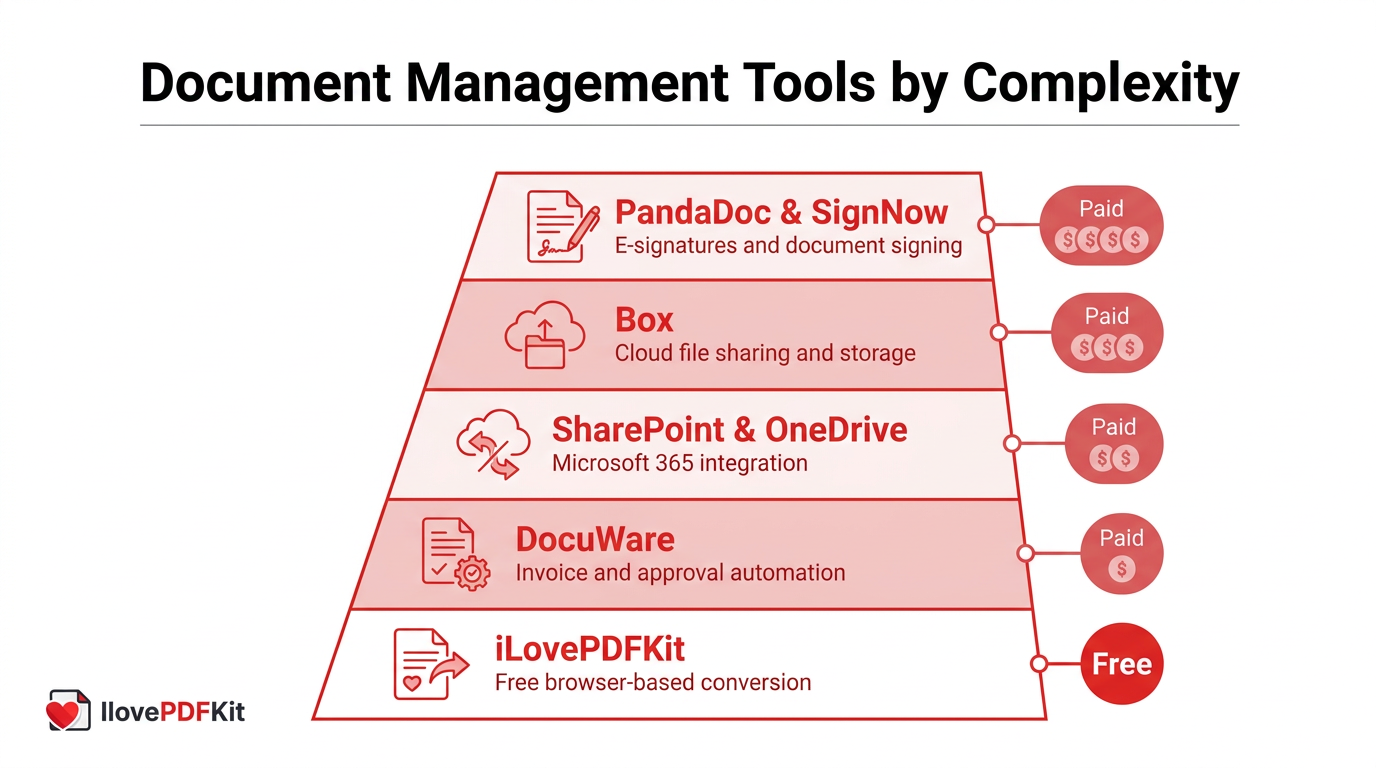
Finding the right document management tools for small business needs starts with matching the platform to the job at hand. Many teams begin with a free, browser-based converter for everyday paperwork before ever needing a full workflow system. Others jump straight to dedicated platforms built for invoice approvals, team collaboration, or client signatures. The list below moves from the simplest, no-cost option to more complete systems built for growing teams.
iLovePDFKit for Everyday File Conversion and Organization
iLovePDFKit is a free, browser-based toolkit built for everyday conversion work. It converts PDFs into editable Word files, Excel, or PowerPoint files and back again, preserving fonts, tables, and layout with pixel-perfect accuracy. Built-in OCR, short for optical character recognition, turns scanned document to PDF or photographed homework into real, searchable text, so image-only pages stop being dead ends.
Beyond conversion, the platform merges, splits, compresses, splits, compresses, and password-protects files without daily task caps or watermarks. Everything runs in the browser on any device, from a locked-down office computer to a phone, with nothing to install and no account required. Files travel over an SSL-encrypted connection and get deleted from the servers shortly after processing.
DocuWare for Invoice and Approval Automation
DocuWare focuses on invoice and approval automation, a strong fit for finance-heavy small businesses. It captures documents, extracts key index data automatically, and routes invoices through approval workflows without manual entry. The platform serves organizations from two-person teams to enterprises with thousands of employees, with a browser-based interface and mobile access for teams working outside the office.
Microsoft SharePoint and OneDrive for Teams Using Microsoft 365
SharePoint and OneDrive extend Microsoft 365 into a full document management setup for teams already using Outlook, Teams, and Office apps. SharePoint handles team sites, shared libraries, and version history, while OneDrive covers individual file storage and sharing, similar in spirit to the setup guidance found in a getting started guide for self-hosted document systems like Paperless-ngx. Real-time co-editing inside familiar apps makes adoption easier, though costs and storage limits can climb as a team grows.
Box, PandaDoc, and SignNow for Sharing, Signing, and Sales Documents
Box is a cloud file-sharing platform built for teams that need to share, edit, and archive documents together, a category of enterprise content management tools also documented in depth in guides like the Dokmee ECM user guide. A free plan offers 10GB of storage for individual users, with paid plans adding unlimited storage for around $15 per user per month. PandaDoc suits sales teams, with a free plan covering 60 documents per year for testing core features, plus paid tiers for unlimited uploads, quotes, and contracts.
SignNow focuses purely on signatures, letting field teams and sales reps collect a client’s signature from a phone, tablet, or laptop in seconds. That makes it a natural fit for service businesses and mobile sales staff. Affordable plans and solid integrations add signature collection to an existing workflow without overhauling the whole system.
| Tool | Best For | Starting Price |
|---|---|---|
| Box | Cloud file sharing and storage | Free plan (10GB); paid plans from about $15/user per month |
| PandaDoc | Quotes, contracts, and e-signatures | Free plan (60 documents per year); paid plans for higher volume |
| SignNow | Mobile signature collection | Affordable per-user plans, check current rates |
How Do I Choose and Set Up a Document Management System?
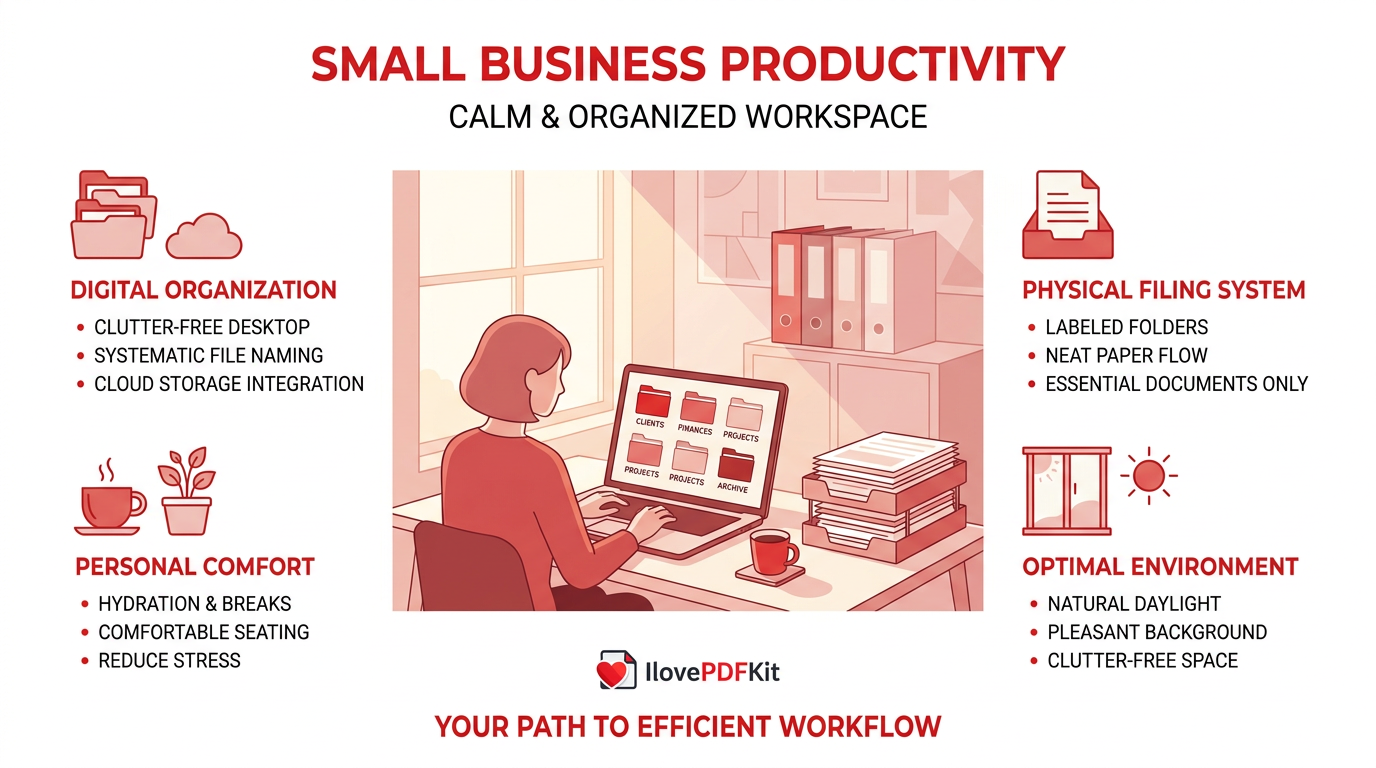
Choosing a document management system for small business use comes down to matching the tool to your size, budget, and existing software. A five-person consulting firm and a fifty-person accounting practice have very different needs, even if both call themselves small businesses. Rather than picking the platform with the longest feature list, start by identifying which document problem costs you the most time right now, then work outward from there.
Questions to Ask Before You Commit
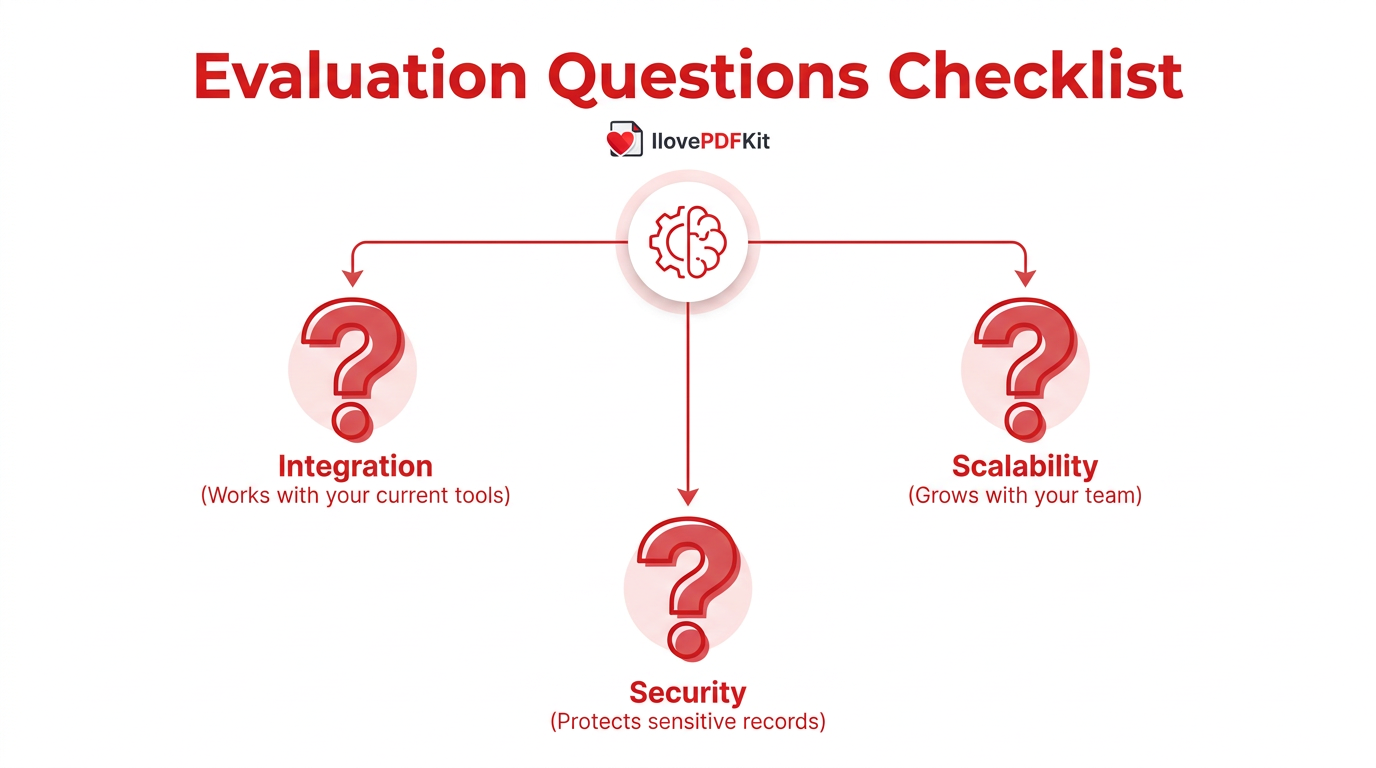
Before signing up for any platform, run it through a few practical questions first.
- Does it integrate with the accounting, email, or CRM tools your team already uses?
- Can it scale as your document volume and team size grow over time?
- Is the security strong enough for client contracts or financial records?
Getting Started Without a Big Budget
You do not need a big budget to start managing documents properly today.
- Use a free, browser-based tool like iLovePDFKit to convert, merge and organize files right away, with no installation needed.
- Set up simple naming conventions and folder structures now, before your file count grows out of control.
- Upgrade to a dedicated DMS once approval chains, e-signatures, or team-wide automation outgrow manual processes.
The Takeaway
Document management for small business is not about buying the most expensive software on the market. It is about matching the right tool to real problems, whether that means finding a contract in seconds, protecting client records, or cutting a five-day approval process down to one. Centralized storage, solid security, version control, and automation form the foundation, no matter which platform you choose.
Start small. A free tool like iLovePDFKit handles everyday conversion and organizing tasks with no sign-up. As your team grows, layer in a dedicated platform for automation, approvals, or e-signatures. Either way, getting documents under control now saves hours you can spend on work that actually grows your business.
Frequently Asked Questions
Is Document Management Only for Large Companies?
No, document management for small business operations matters even more than for large companies, since small teams rarely have dedicated IT support. Free and low-cost tools make proper organization accessible at any budget, so team size is not a barrier to getting started today.
How Much Does Document Management Software Cost?
Costs range widely, from completely free tools to $35 or more per month for platforms with paid tiers like PandaDoc. Free options cover everyday conversion and light organizing, while paid plans add automation, e-signatures, and higher storage limits as your document volume grows.
Can I Convert Scanned Paper Documents Into Editable Files?
Yes, using OCR, or optical character recognition, which reads text from an image and turns it into an editable, searchable document. A good PDF to Word converter includes OCR built in, so a scanned contract or photographed homework page becomes a normal, editable file within seconds.
Is It Safe to Upload Sensitive Business Documents to Online Tools?
Look for SSL or 256-bit encryption and a protect PDF documents before uploading anything sensitive. The tool processes files over an encrypted connection and deletes them from its servers shortly after the task finishes, and it never requires an account sign-up that could store your activity history.
What Is the Difference Between File Storage and Document Management?
File storage just holds your files somewhere, like a folder or a drive. A document management system adds search, security, version control, and workflow automation on top of that storage. Basic conversion and organizing tools make a solid middle step before investing in a full system.
How Long Should a Small Business Keep Digital Documents?
Retention periods depend on the document type and your industry’s regulations. Tax and financial records commonly need to be kept for three to seven years in the United States, so check current IRS guidance and any industry-specific rules that apply to your business.
